What it looks like
Two screens, one device.
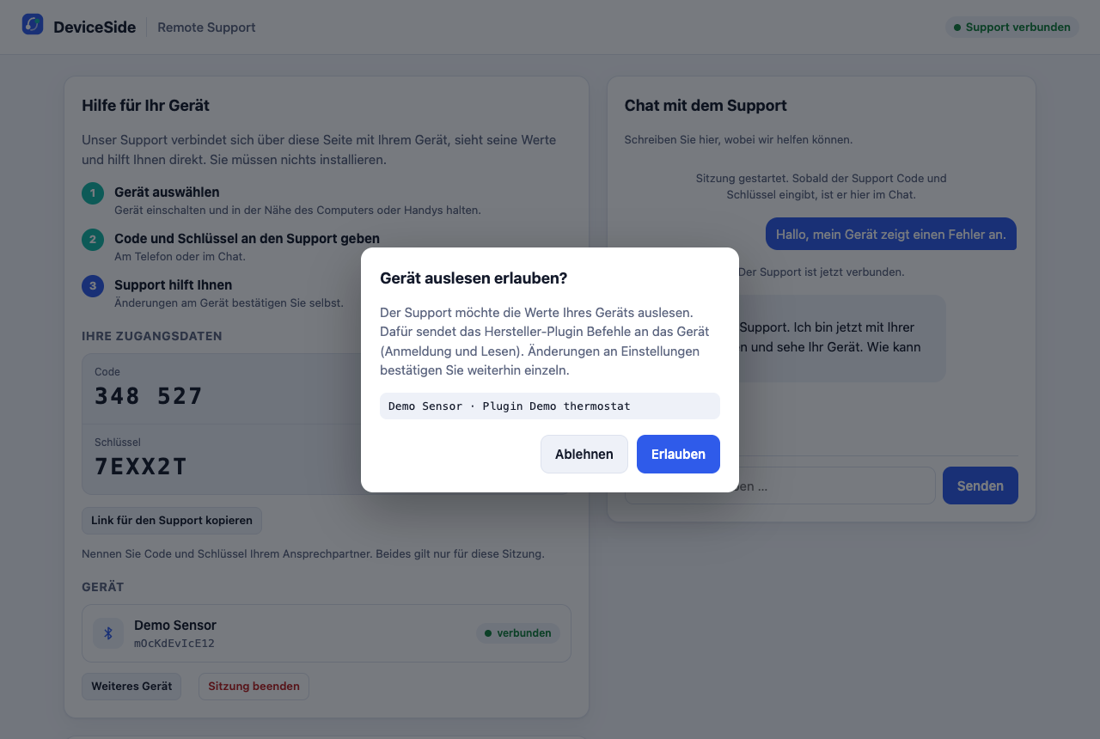
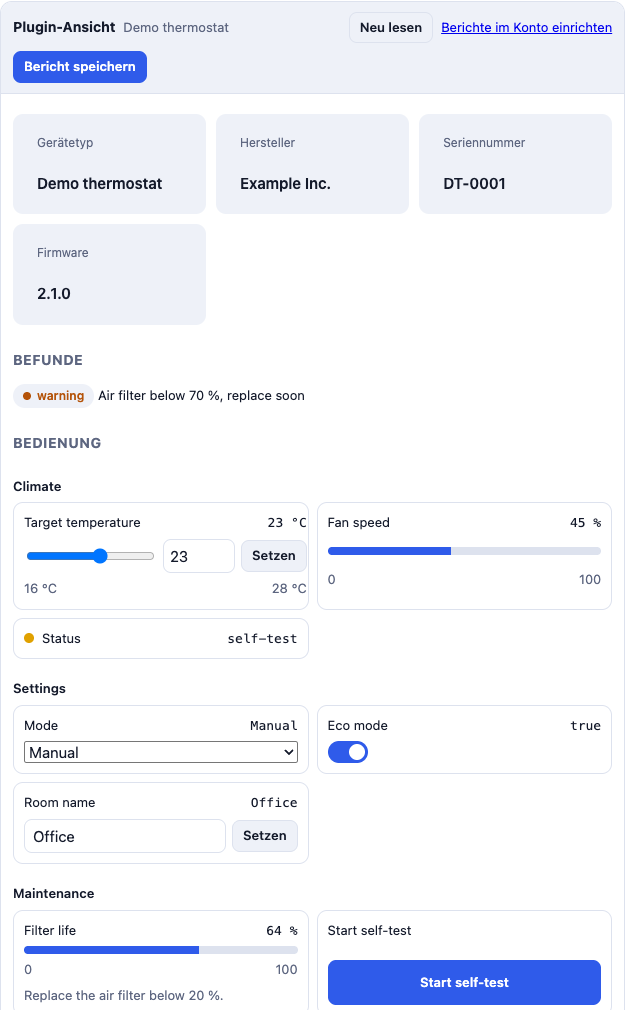
Shown with a demo device. Your devices appear with your own parameters and screens.
Your service team sees the customer's device live before anyone goes out, and knows whether it's the hardware, the app, the phone or the cloud.
Today service only finds out on site what is actually wrong. That costs every time.
The first visit had the wrong part or the wrong tool on board, because nobody could see the device beforehand.
Parts get swapped that were never broken. The real cause was the phone, the app or a setting.
A firmware update over Bluetooth fails, and a dealer has to install it by cable.
"Doesn't connect" in the app store, although the device works fine.
On a laptop or Android phone next to the device, or in your app. No installation, no account. They allow access and confirm every change themselves.
Live: connection, firmware per component, values, error memory, in the same screens your app already has.
Likely hardware, app, phone or cloud, with the reasons. Your service decides whether and with which part someone goes out.
Device, values and versions, end-to-end encrypted. Only your team can read it.
Shown with a demo device. Your devices appear with your own parameters and screens.
Is the device reachable, how stable is the connection, which phone and browser does the customer use.
Version of every component, update state, known problems of exactly this version.
All parameters with names and units, error memory, counters, as in your own app.
Rules from your device knowledge: which values point to defective hardware, which to an app or phone problem, which to the cloud.
Settings can be changed remotely, but the customer confirms every single change on their side.
Your devices stay as they are. Your developers connect them with our documentation, or we do the integration for you as a fixed-price project.
One device family, real service cases, figures before and after. Fixed price, then a monthly licence per service seat or per case.
No. A link in Chrome or Edge is enough, on a laptop or an Android phone. Or the access sits in your own app.
Only your service during the session, after the customer allowed it. Saved reports are encrypted in the browser; we cannot read them.
Only parameters you release, and only after the customer confirmed each change on their side.
Your choice: your team connects the device with our documentation and SDK, or we do it as a fixed-price project. Then all we need is access to a device and the app configuration.
To start, the report is a link or a file in the ticket. A deeper integration follows when the pilot works.
15 minutes, with your own device: you open the link next to it, and I show you what your service would see.